The drawing and the prompt
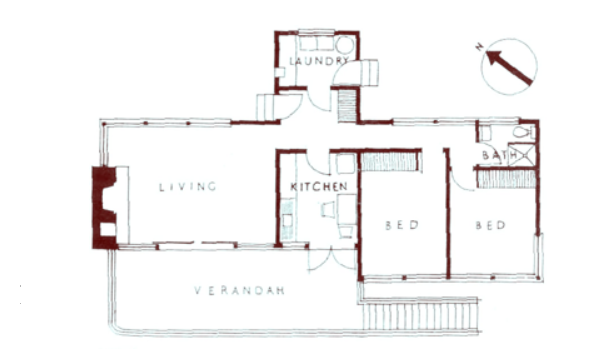
plan.png (attached, and in this folder) is the architectural floor plan of a small house. Turn it into an interactive 3D model I can open in a browser: one self-contained file, index.html, using Three.js from a CDN. Follow the drawing as faithfully as you can: wall layout, room proportions, door and window openings, the verandah, the steps, the fireplace and the bathroom and laundry fixtures. Label each room. Add orbit controls so I can rotate and zoom. Make it look good. Don't ask me questions. When you're done, list in a few lines anything in the drawing you weren't sure about.
GPT-6.1 Terra · medium
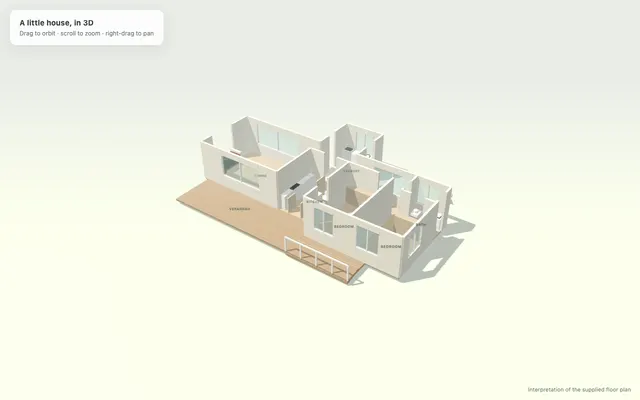 3DFloor Plan to 3D HouseOpen →
GPT-6.1 Terra · max
3DFloor Plan to 3D House · GPT-6.1 Terra · maxOpen →GPT-6.1 Sol · medium
The panel in the corner switches to a floor plan and changes the wall height.
3DFloor Plan to 3D House · GPT-6.1 SolOpen →GPT-6 Astra · medium
3DFloor Plan to 3D House · GPT-6 AstraOpen →GPT-5.6 Terra · medium (the old one)
It opens on a wall. Give it a drag and you'll see why.
3DFloor Plan to 3D House · GPT-5.6 TerraOpen →Mia's tips
- All five ran in Codex with reasoning effort set to medium (in Codex, Terra, Sol and Astra default to low), plus one extra run of Terra on max. One run each.
- Always open the result and look before you trust "done".
- Want to try your own floor plan? Swap in your image as plan.png and keep the prompt exactly as it is.