Cut one: one sentence
Cut everything in the materials/ folder into a vertical short video, about 1 minute long: cut out the mistakes and pauses, and add b-roll, background music and captions.
Mia's tips
- I used Claude Opus 5.5 in Claude Code. The computer only had FFmpeg and Python, no editing app. It installed Whisper to turn my audio into a transcript, then edited the transcript.
- It told me straight up: "I could not listen to anything." So whether it sounds good is still your call.
Cut two: seven notes
I watched v1 — the mistakes are cut cleanly, and you avoided the presenter clip and the wrong planet labels on your own. Nice. Here are my notes; please re-cut it:
1. Keep it under 60 seconds.
2. Hook people in the first 3 seconds: lead with the most striking line and image, then explain.
3. Don't make every pause the same length: tiny pauses inside a sentence can be short, but leave a bit more room after a finished thought or before a question, so it sounds like a real person talking.
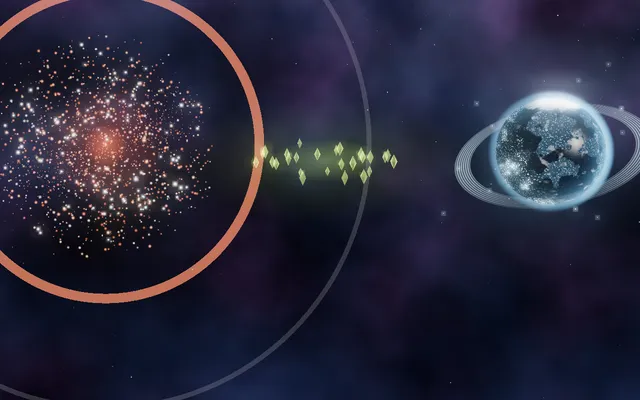
4. Make the picture match what's being said: when I'm talking about the Kepler telescope and its data, don't use footage from a different telescope (TESS); no names of unrelated planets or stars on screen. When in doubt, use the two Kepler-90 images.
5. Switch the music to tech_pulse — it's 120 BPM; put the cuts on the beat as much as you can.
6. Use a heavier, bolder font for captions and titles, and don't leave the title static the whole time.
7. Check your own work before handing it in: pull frames and look at them, transcribe the finished video again and compare it with the captions, list anything you think is still wrong, and fix what you can before you deliver.
Mia's tips
- Don't skip note 7: having it check its own cut before handing it in catches things like overlapping labels, clipped titles and captions out of sync.
- Notes 4 and 5 are about my footage. Swap in your own: the shots you're scared it'll get wrong, and the name of the music file in your folder.